Guide · Tenants and leasing
Move-In Checklist for Landlords
Last reviewed: November 11, 2026 · Reviewed by a licensed Ohio real estate broker.
Some links on this page are affiliate links. If you sign up through them, the publisher of ManageOhio may earn a commission at no extra cost to you. We only list tools we think are useful for Ohio rental owners.
About 8 minute read
A useful move-in process confirms the paperwork, records the home’s condition and explains how everyday communication will work. Prepare the packet before the appointment, walk the home together and give both parties copies. Finish with a clear key inventory and written instructions for rent, repairs and urgent problems.
General information, not legal advice. Laws change; confirm with an Ohio attorney.
What should you gather before you start?
Create a move-in folder and an appointment plan before arranging the handover. Include the property address on each record so documents cannot be confused with another rental. Keep a current contact sheet and identify who will attend, who can answer document questions and who will complete any remaining repair.
Have an Ohio attorney review the lease and questions about disclosures, entry, lead paint and registration. Bring your proposed handover packet and access instructions. For deposit handling, use the security deposit guide. File the reviewed lease and attachments together so the signing packet is complete.
Check that the home preparation record is complete before the appointment. A move-in walkthrough should document the home being delivered, not serve as the first inspection of unfinished work. If a material concern remains unresolved, address it and communicate the revised plan instead of hoping it will be missed. Place the appointment agenda at the front of the folder: documents, condition walk, equipment instructions, keys and open items.
Before you start
- Gather reviewed rental documents and payment status records.
- Prepare a room-by-room condition report and dated photo folder.
- Count keys, remotes and other access devices.
- Collect utility information, equipment instructions and repair contacts.
How do you prepare paperwork and payment records?
Review the document packet against the property details and the terms previously communicated. Check that names, address and attachments are consistent using your reviewed process. Keep the operating sheet separate from the lease so a helpful instruction does not accidentally change an agreed term.
Confirm signing and payment status through the agreed method before handover. Distinguish a payment initiated from a payment confirmed by the processor or financial institution. Save the confirmation with the property and transaction date. Put pending items on the appointment list instead of relying on a message screenshot.
Give the resident a clear copy-delivery plan. Explain which documents will be sent digitally and which will be provided at the appointment. Keep personal financial information private and share only what each person needs. Do not promise that a software-generated document has been legally reviewed unless it actually has. Use a packet index listing each attachment and its version. Mark signed, provided and pending as separate statuses.
For screening and leasing administration, TurboTenant (affiliate link, opens in a new tab) is self-management software that can help organize rental paperwork and the handover process; keep the document version and signing record together.
How do you complete a room-by-room condition report?
Walk the home in a consistent sequence and compare each room with the preparation photos. Record the condition of walls, floors, doors, windows, fixtures and included appliances. Describe visible wear specifically, including its location, rather than using a label such as fine that may mean different things to different people.
Invite the resident to point out anything missing or unclear in the report. Capture an overview photo and relevant detail photos with dates and matching room names. Keep observations separate from conclusions about responsibility. A preexisting mark, an unfinished repair and a newly reported problem should not all be recorded as the same issue.
Use your reviewed process for signatures, copies and later corrections. Give both parties access to the completed record without exposing unrelated private files. If something needs repair, create a separate work item with a contact and next action. Do not let the condition report become the only place a maintenance request is recorded. Describe a mark by location and appearance, such as scratch on hallway floor beside closet. Photograph the surrounding area too.
- Begin with the exterior and the agreed room order.
- Record visible condition and test included items using normal controls.
- Photograph details that need clearer description.
- Review notes together and identify any unresolved issue.
- Save the completed record and give both parties copies.
How do you hand over keys and operating information?
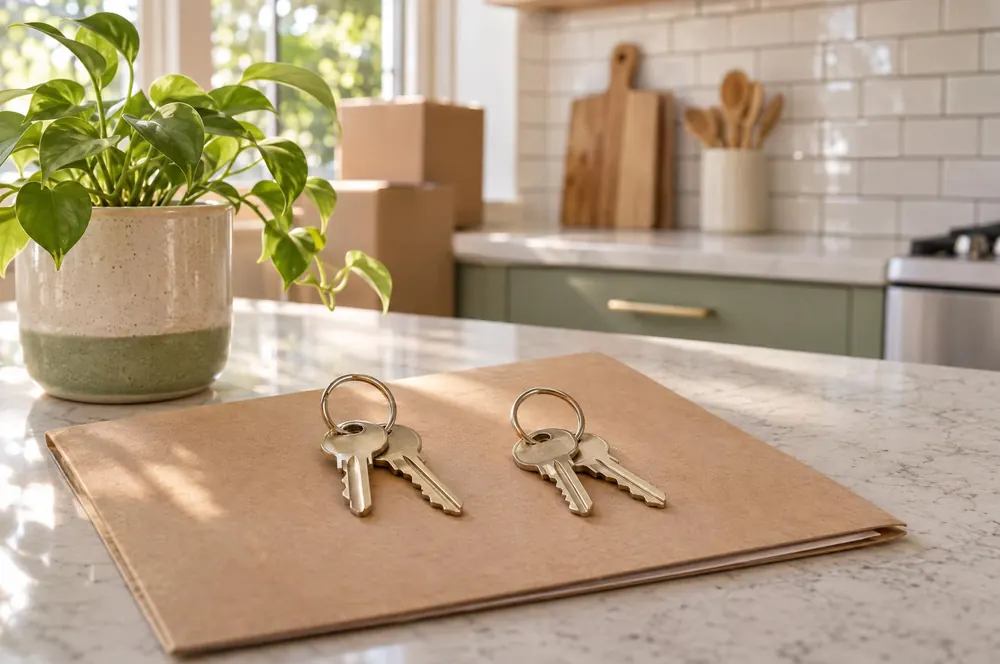
List each key, remote and access device by what it opens, not by a vague description such as extra key. Check the devices using the correct lock or control before the appointment. Explain the contact route for a lost or malfunctioning device, while keeping security details out of publicly shared documents.
Show the location of water shutoffs, the breaker panel and ordinary equipment controls where they can be accessed safely. Provide manufacturer-based operating information for included appliances. Explain how to report a problem, not how to attempt a specialist repair. Avoid asking residents to open equipment or handle a hazard to complete your routine.
List included utilities and services on the operating sheet. Provide the provider contact, equipment location and relevant property instructions. Do not collect passwords for the resident’s utility account. Put parking, trash and association operating information together, then compare the sheet with the lease so it does not introduce conflicting terms. Include a photo of ordinary controls in the operating sheet. Label the room and appliance rather than adding repair instructions.
| Do | Avoid |
|---|---|
| Record each access device and check what it opens. | Hand over an uncounted group of keys. |
| Provide ordinary operating instructions and a repair contact. | Ask residents to diagnose or repair hazardous equipment. |
How do you explain rent and maintenance communication?
Give the resident one current written contact sheet. Explain the rent payment method from the agreed documents and show where to find a payment confirmation. If the lease or payment setup changes, follow your reviewed process and replace outdated operating instructions so two conflicting versions are not in circulation.
Describe the normal maintenance request channel and the information that helps you arrange work: location, symptom, when it was noticed and a photo if safe. Explain who monitors the channel and how a resident can report a change in urgency. Do not promise a response time you cannot consistently support.
For immediate danger, point residents to the appropriate emergency service rather than a routine message. Keep your urgent property contact separate from the normal request channel. Record repair access arrangements through your reviewed entry process. A work log should identify the issue, contractor and appointment contact, not assume permission for future visits. Show a sample routine request: bathroom sink, slow drain, noticed during use, photo attached if safe. Keep urgent instructions separate.
Use one current instruction sheet
Put a revision date on operating instructions and save the version provided at move-in. Update contact details when they change and tell the resident where the current copy can be found.
How do you close the appointment and track follow-up?
End the walkthrough by reviewing open items. Check that the resident has the intended records and contacts. Ask them to locate the maintenance channel and identify which key opens each door. Record an unanswered equipment question with the model number and contractor who can answer it.
Create a separate task for each outstanding repair or document question. Record the responsible person and next action in your maintenance or task log. Keep the resident informed through your normal channel, without sharing private contractor or applicant information. A verbal promise is easy to forget when it never reaches the working list.
After the appointment, file the final condition record, payment confirmations and key inventory in the correct folders. Keep a backup and check that shared links reveal only the intended documents. Review what made the appointment difficult and adjust the process for next time. The bookkeeping guide can help organize the financial records that begin with this handover. Read back the open-item list together. Record the work contact and next update channel before ending the appointment.
What common mistakes should you avoid?
A calm handover depends on decisions made before the appointment. These corrections help you replace last-minute assumptions with a clear record. If an unresolved issue affects the property or documents, stop and obtain the right answer rather than changing the process casually in front of the resident. Use a follow-up column beside each issue found. A note becomes a task only when someone owns its next action.
- Using a generic condition label: record the location and visible condition of each relevant item.
- Leaving all photos on one phone: save a dated private folder and a backup.
- Mixing operating notes into lease terms: keep the instruction sheet separate and compare it with the reviewed rental documents.
- Giving several maintenance contacts without a clear channel: provide one current sheet with distinct routine and urgent routes.
- Forgetting promised work after handing over keys: create a separate task and track it to a recorded outcome.
Quick checklist
Print this list with the condition report so you can review it before and after the appointment. It organizes your handover tasks but does not decide legal questions. Keep uncertain items open until you receive confirmation and record where the final answer or completed work can be found. Save the checked copy with the final condition report. Note the key count and the shared document folder provided at handover.
- Reviewed documents match the property and agreed terms.
- Payment status is confirmed through the agreed method.
- The home preparation record is complete.
- Room-by-room notes and dated photos are saved.
- Keys and access devices are counted and checked.
- Operating, utility and maintenance instructions are current.
- Both parties receive the completed condition record.
- Open work and document questions have a named next action.
Choose your next step
Answer five quick questions and we will point you to the right tools, or to professional management.